





Frustration
Diagram tools are either too basic or too complex. Excalidraw is too sketchy. Figma is too heavy. Mermaid is code-only. None of them let you just… design.

Compromise
So you spend hours fighting alignment, exports look wrong, fonts don't embed, and your diagram still doesn't communicate what you intended.

Clarity
Spayse is the canvas that gets out of your way. Subpixel snapping. Native LaTeX. True vector exports. Dark/light sync. All in a tool that feels fast from the first click.
How It Works
From idea to diagram in minutes, not hours
Start
Drop a shape, add icons, control design and build at the speed of thought
Build
Connect, arrange, and refine with precision controls that stay out of your way
Export
PNG, SVG, or PDF — ready for papers, decks, or docs with vectors intact
Everything you need to diagram
From system design to publication, one canvas does it all.
Looks like it came from a design studio
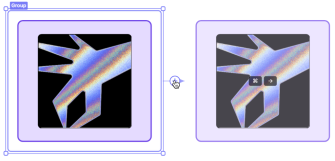
Quick-add shapes, smart alignment, and subpixel snapping. Build at the speed of thought—no wrestling with layout.
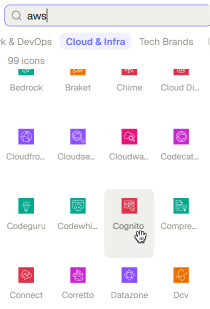
Shapes and icons for technical work
System design, ML pipelines, flowcharts, ER diagrams—plus a searchable icon library with thousands of symbols.
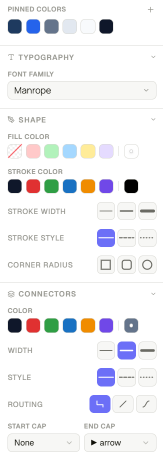
Design panel
Routing, strokes, fills, shadows, gap controls—every visual property in one place. Style without the hunt.
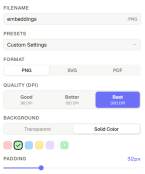
Publication-ready, every time
Export to PNG, SVG, or PDF—whatever your paper, deck, or doc needs. No rasterisation artifacts, no broken fonts.
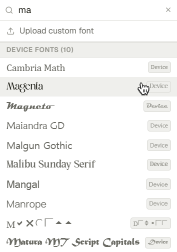
Local and custom fonts
Google Fonts, local uploads, and custom typefaces. Full control over weight, size, and spacing—all without leaving the canvas.
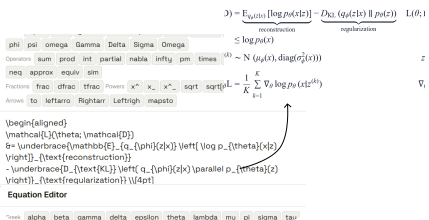
Native LaTeX equations
Mathematical notation that renders natively on the canvas. No blurry images, no workarounds—KaTeX, inline and clean.
Who Is It For
Anyone who needs to think in diagrams
Students & Academicians
Thesis diagrams, research figures, and academic posters that don't look like an afterthought
Entrepreneurs & Professionals
Pitch decks, org charts, and strategy docs that communicate clearly and look polished
Engineers & Technical Teams
System architectures, ER diagrams, and flowcharts that are precise enough to build from

& Everyone In Between
Whiteboard ideas, map out plans, or just think visually, no design experience required

Pricing
Start free, upgrade when you need more
Frequently asked questions
Quick answers to common questions about Spayse.